
CCBank Mobile and Digital Banking
An all-new digital banking experience is here.


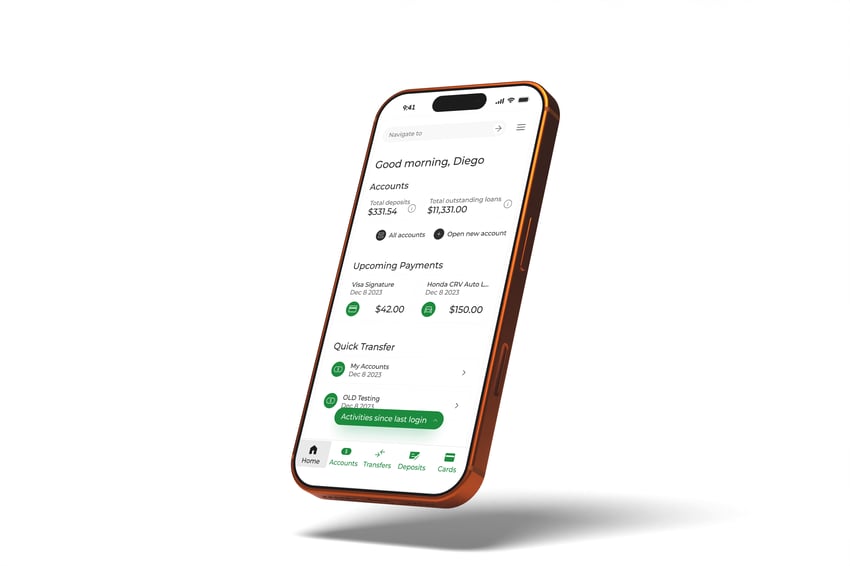

First time logging in on the new platform?
-
On your first time logging in on the new platform, you will need to select Enroll, even if you previously enrolled in online banking with us.
-
You will be prompted to verify your identity. The system will recognize you and import your existing username.
- You will then be prompted to reset your password. A one-time code will be sent to you for enhanced security
Need additional help?
Our team is ready to answer your questions.
ebanking@ccbank.com
FAQs
Once you log in to the new platform, please take a moment to set up your alerts again.
You will need to re-enroll to set a new password.
On your first time logging in on the new platform, you will need to select "Enroll", even if you have already enrolled in online banking with us.
You will be prompted to verify your identity. The system will recognize you and import your existing username.
You will then be prompted to reset your password. A one-time code will be sent to you for enhanced security.
Before March 20th, ensure that your email and phone number are up-to-date. Log in to your account or contact us to update this information.
(801) 763-5066
This digital banking upgrade only affects customers who currently use CCBank's personal online banking.
Business banking will not be affected. Stay tuned for more business online banking updates later this year!
- Business Online Banking Access
Your access to Business Online Banking will remain unchanged. - Login Credentials
Your User ID for online and mobile banking will stay the same. - Account Information
The following details will not change:
-
- Routing number
- Account numbers
- Debit and credit card numbers
- Direct deposits
- Automatic payments
- Account Preferences
These existing settings will carry over:
- Debit card controls
- Account nicknames
- Access to your e-statements
- Transfers & Payments
- Your existing payees—including Bill Pay, internal, and external accounts—will automatically carry over.
- All recurring transfers and automatic payments will continue to process as scheduled.
- Yes. However, you may need to update certain connection settings to ensure your data connectivity transitions to the new platform.
- Additional instructions will be provided before the upgrade.
What's new?
Coming Soon!
We’re continuing to expand digital banking capabilities with additional enhancements planned.

 EQUAL HOUSING LENDER | MEMBER FDIC
This is a temporary marketing website created by CCBank for promotional purposes. It is not the official CCBank website. For accurate and complete information about CCBank’s products and services, please visit the official website at ccbank.com.
Copyright © 2025 CCBank